Translations:Работа с MicroStock+ Sync/6/en: различия между версиями
Перейти к навигации
Перейти к поиску
| Строка 8: | Строка 8: | ||
<gallery widths=300px heights=200px perrow=7> | <gallery widths=300px heights=200px perrow=7> | ||
File:Apple search.png|center|frame|Search | File:Apple search.png|center|frame|Search | ||
| − | File:Apple terminal. | + | File:Apple terminal eng.jpg|center|frame|Terminal |
</gallery> | </gallery> | ||
Текущая версия на 17:24, 6 мая 2026
The alternative way:
- In the top right corner of your desktop click the icon with a magnifying glass
- Type "Terminal" and press Enter
- Open the Terminal app
- Input
sudo spctl --master-disable - Press Enter and then close the window
This should allow you to start the program.
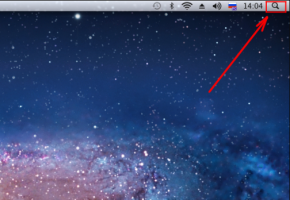
Search
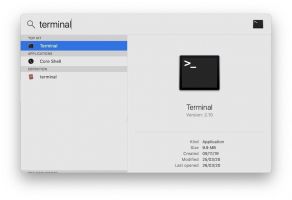
Terminal


